Designing a Clearer Workflow for Robotic Spine Surgery Planning
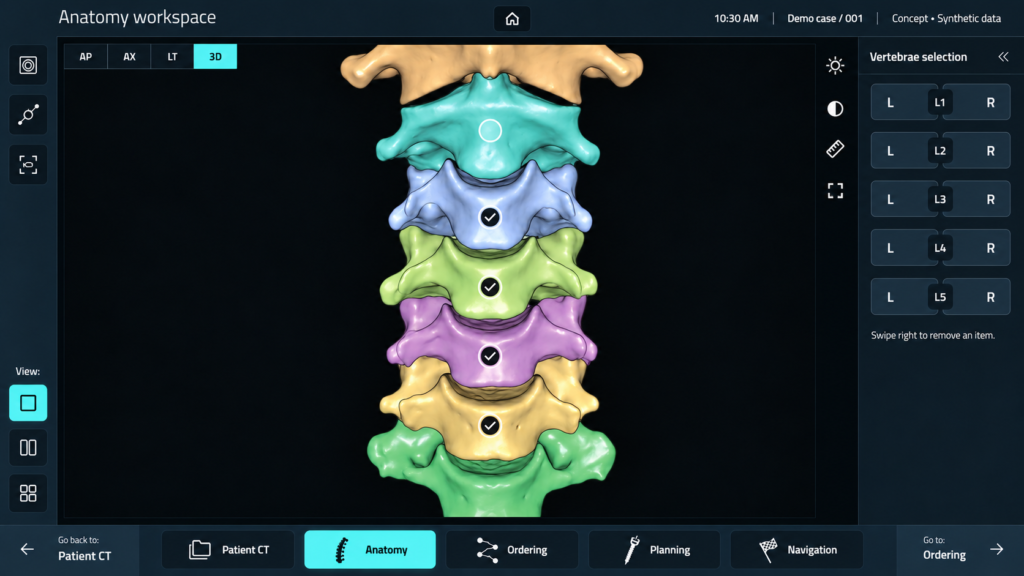
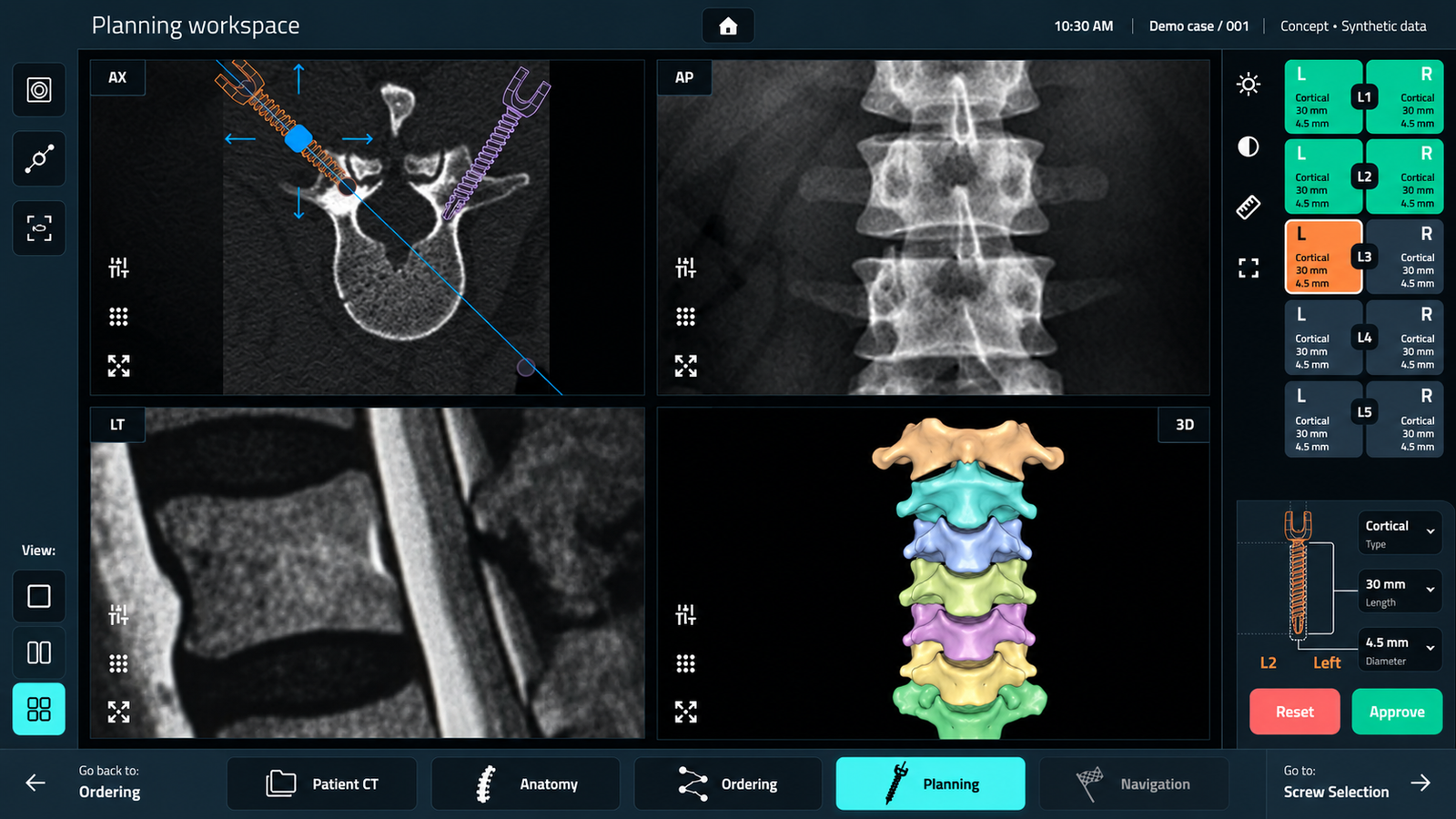
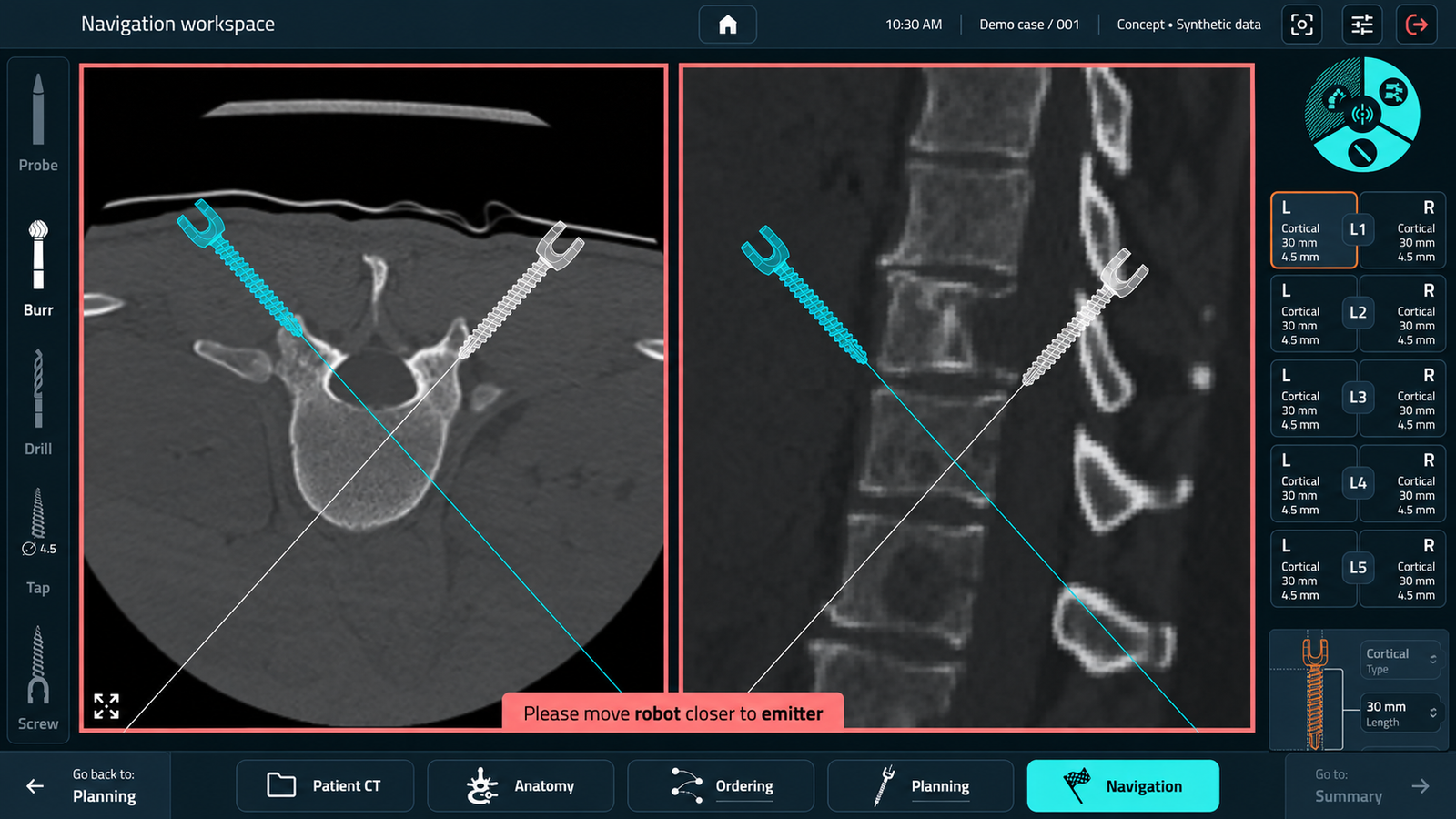
A medical application supporting the planning and preparation of a robotic arm used to create a pilot hole for spinal implant placement.
The project focused on helping specialists navigate a complex workflow, understand the information required at each stage, and recognise situations that needed attention.
My Role
UX/UI Designer
UX Researcher
Tools
Figma
Jira
Confluence
Focus
Workflow exploration, prototyping, information hierarchy, and interface simplification.
Understanding the Clinical Task Behind the Interface
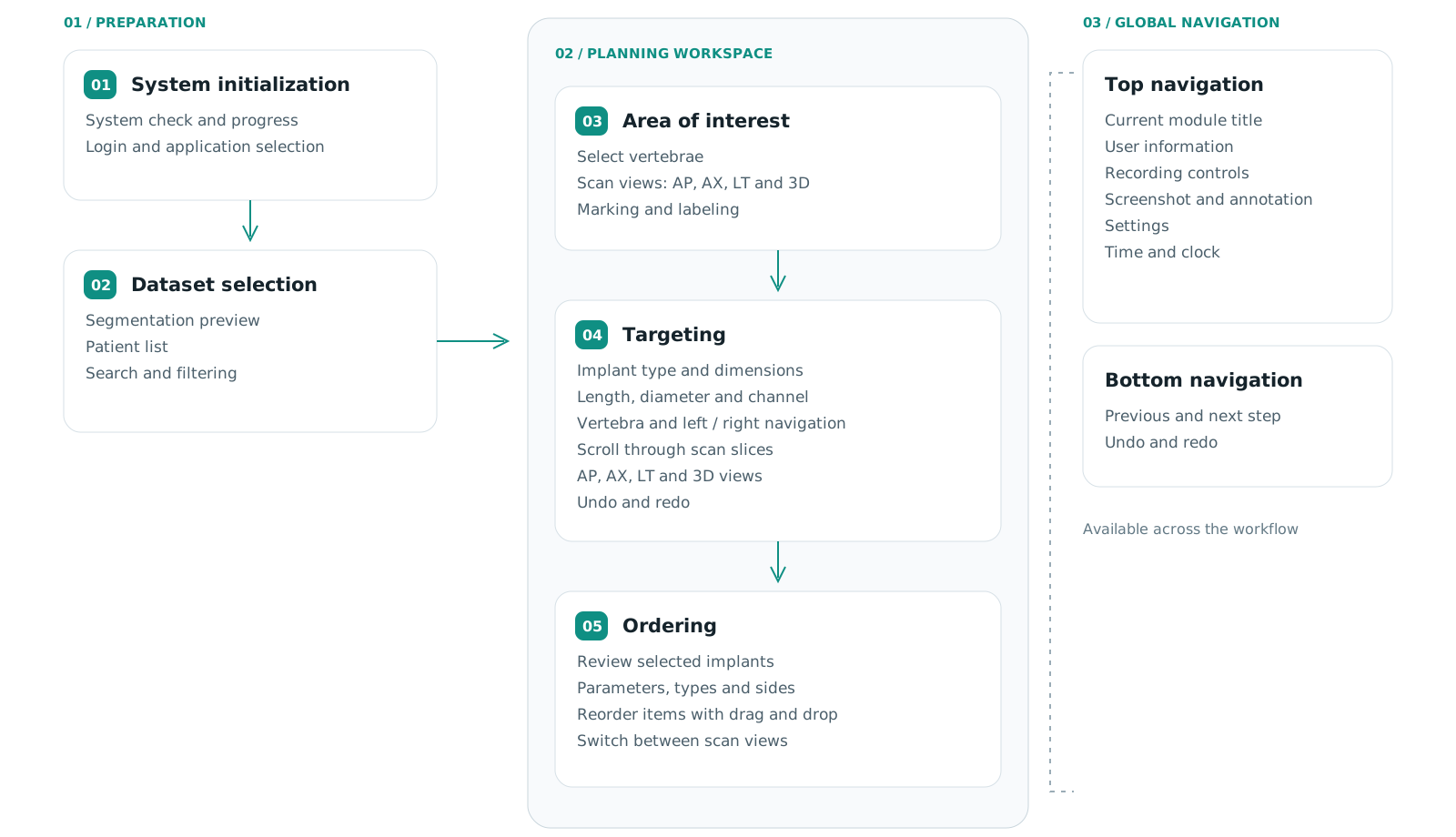
Designing this application required understanding both the on-screen interactions and the clinical activities taking place around them.
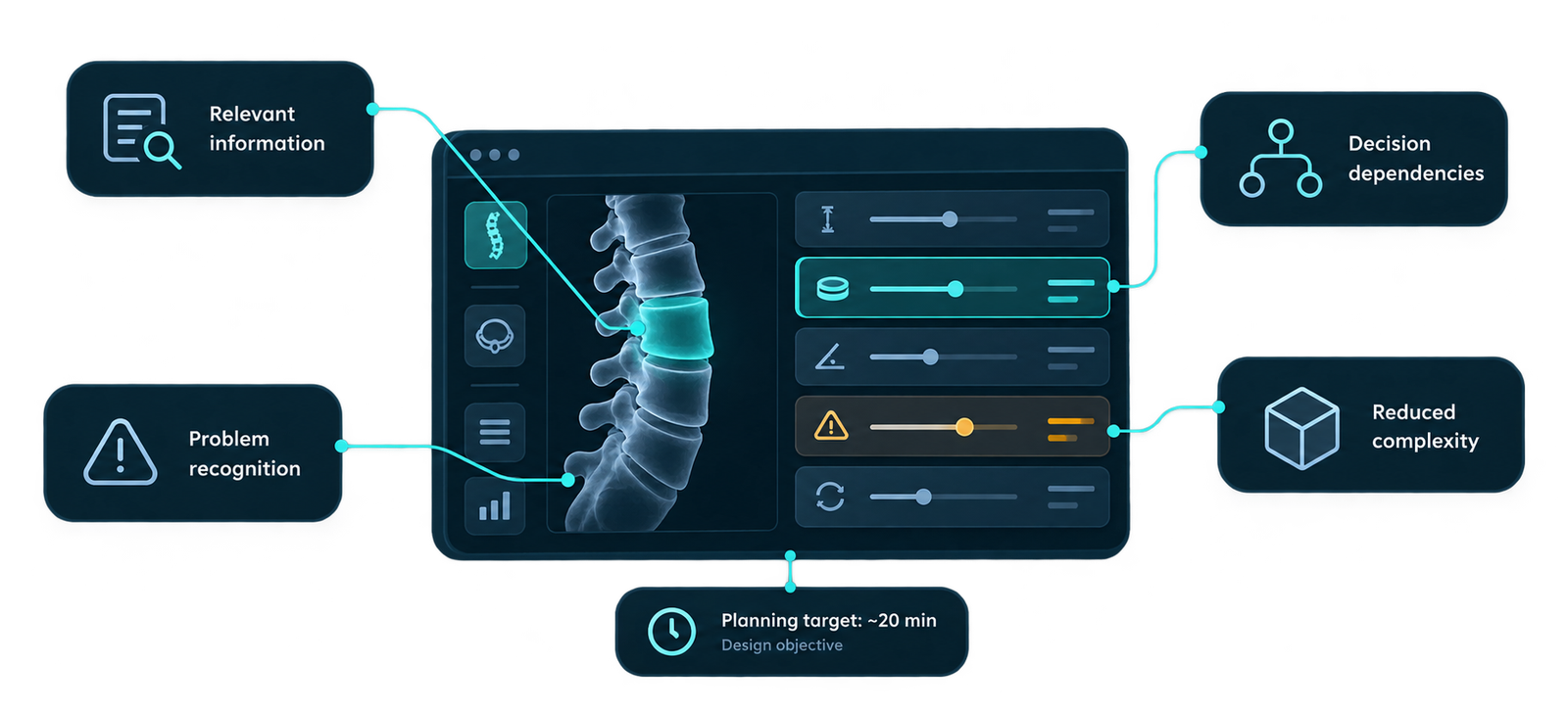
Specialists needed relevant information at the right moment. The design challenge was to establish which parameters supported decisions, which helped identify problems, and which added unnecessary complexity.
A project objective was to support a planning and preparation process of approximately twenty minutes. This was a target guiding the work, rather than a measured outcome presented in this case study.
Key design questions
What does the specialist need to know at each step?
Which actions depend on earlier decisions?
What information helps identify a deviation from the expected state?
Which details can be removed without losing information needed for the task?
Translating Specialist Knowledge into Design Requirements
My contribution centred on turning a specialised clinical workflow into an understandable interface.
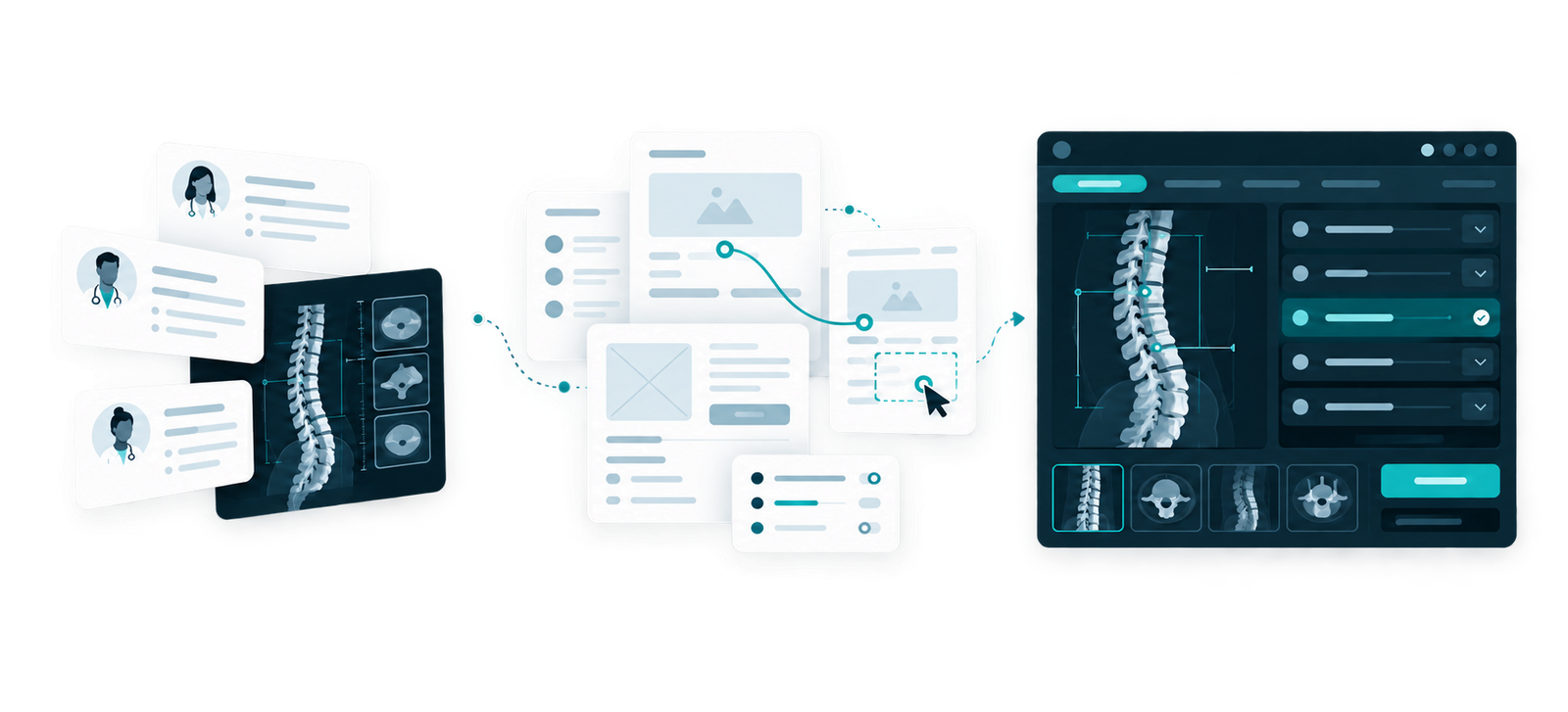
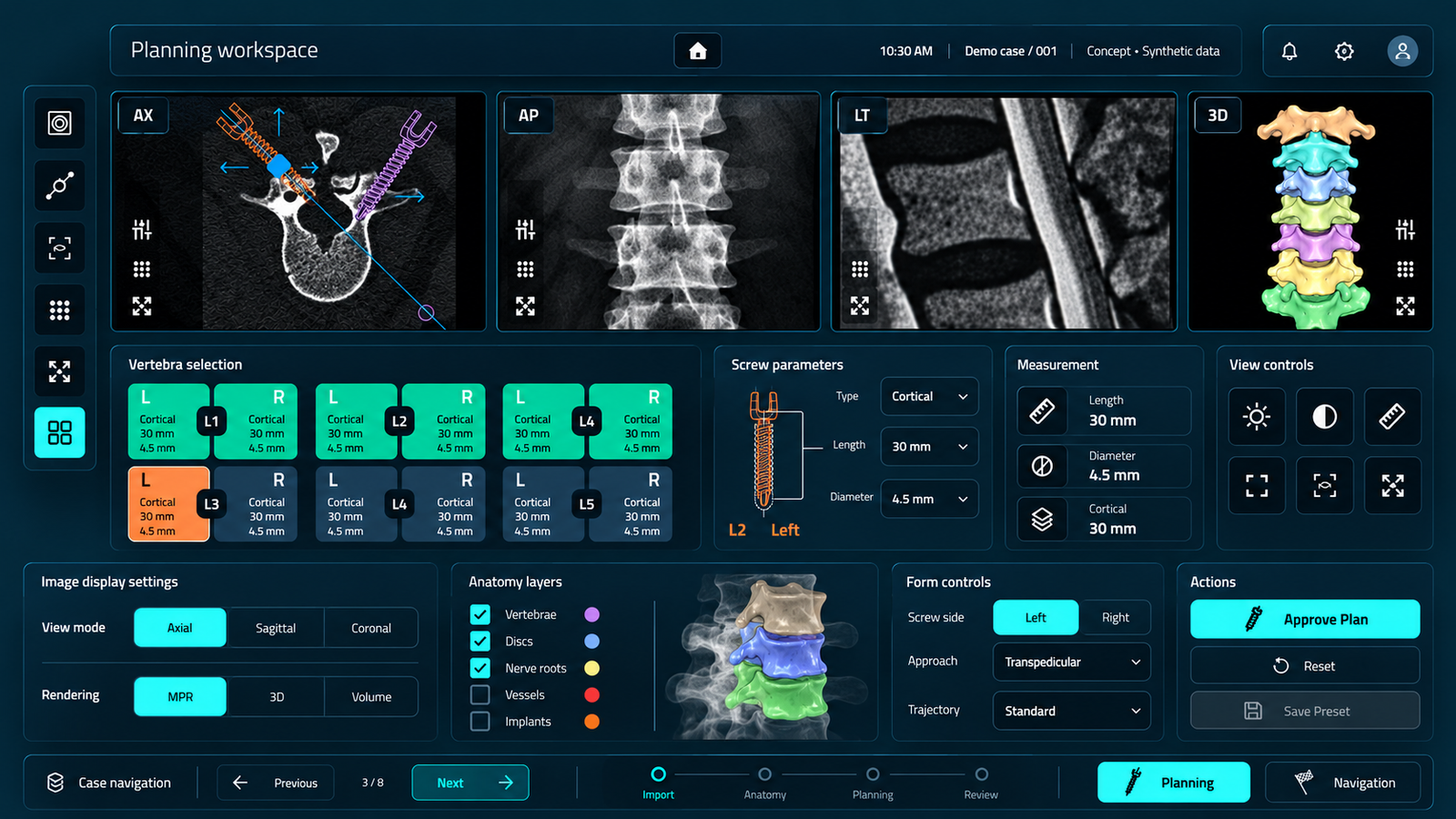
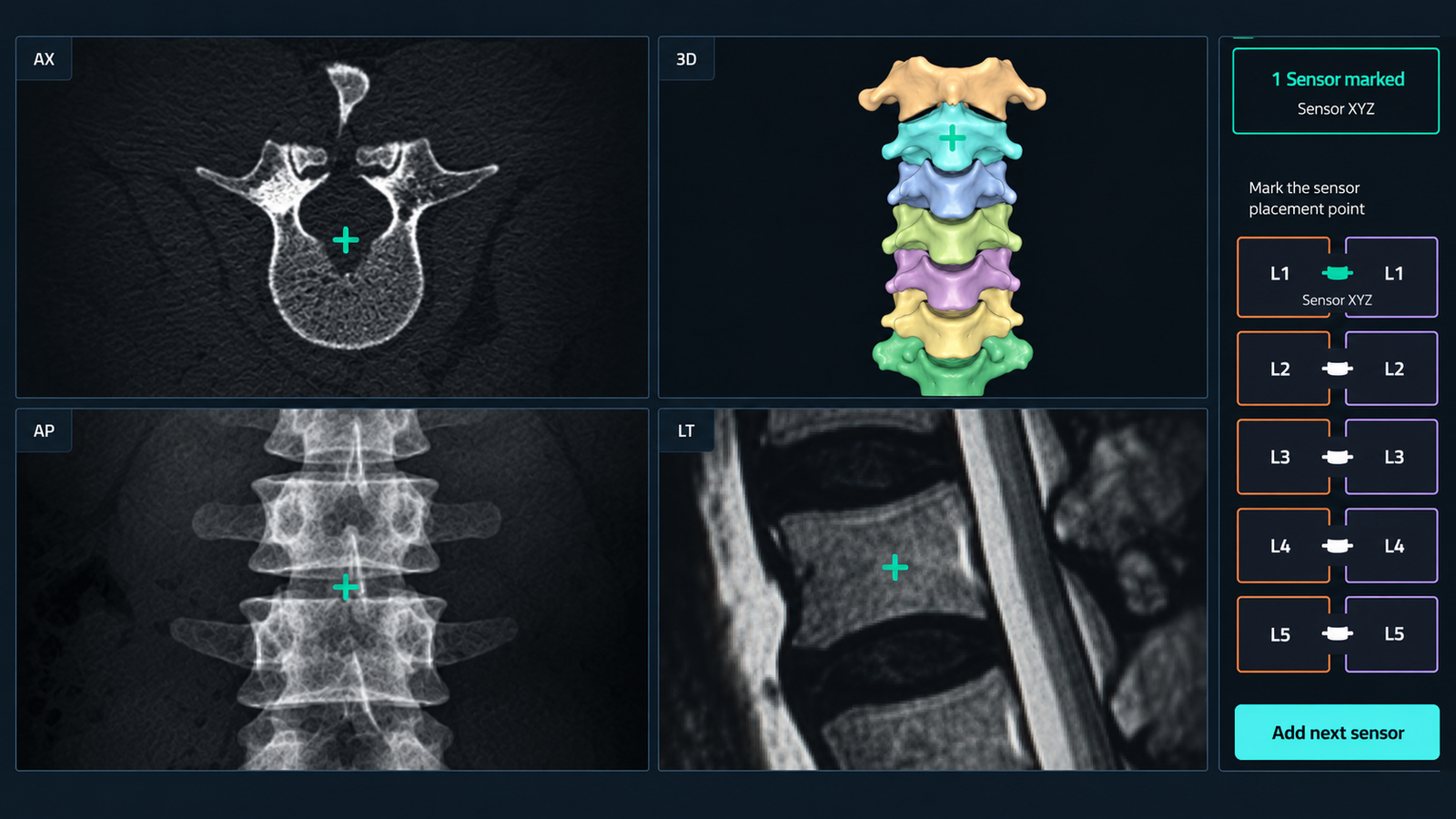
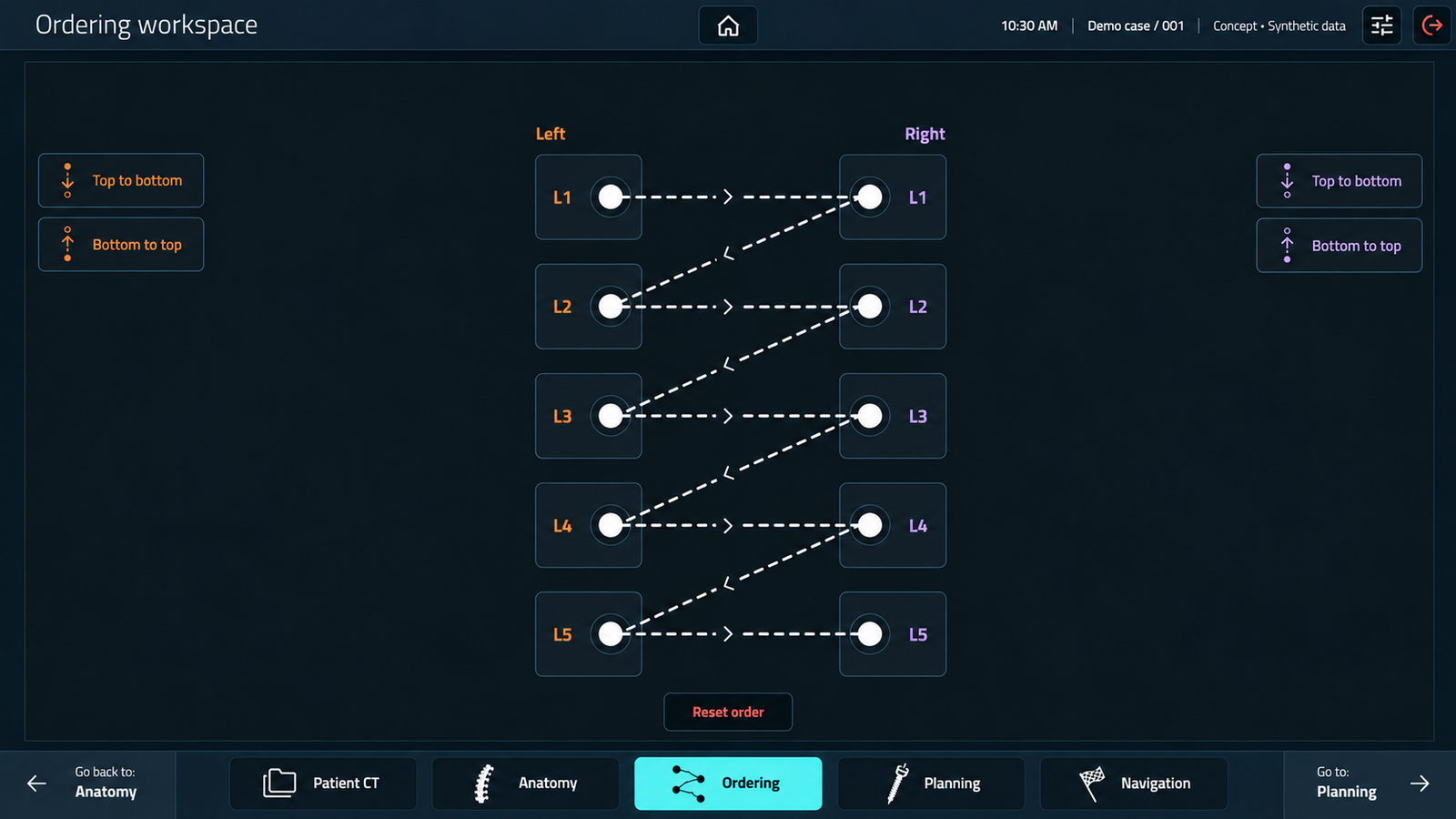
I prepared mockups and prototypes to make the proposed interactions tangible. These became a shared reference during discussions with physicians, helping us examine individual steps and clarify what information was needed.
The work connected domain knowledge with concrete decisions about screen structure, information hierarchy, and the visibility of parameters.
My focus
Exploring the workflow through mockups and prototypes.
Discussing priorities, risks, and information needs with physicians.
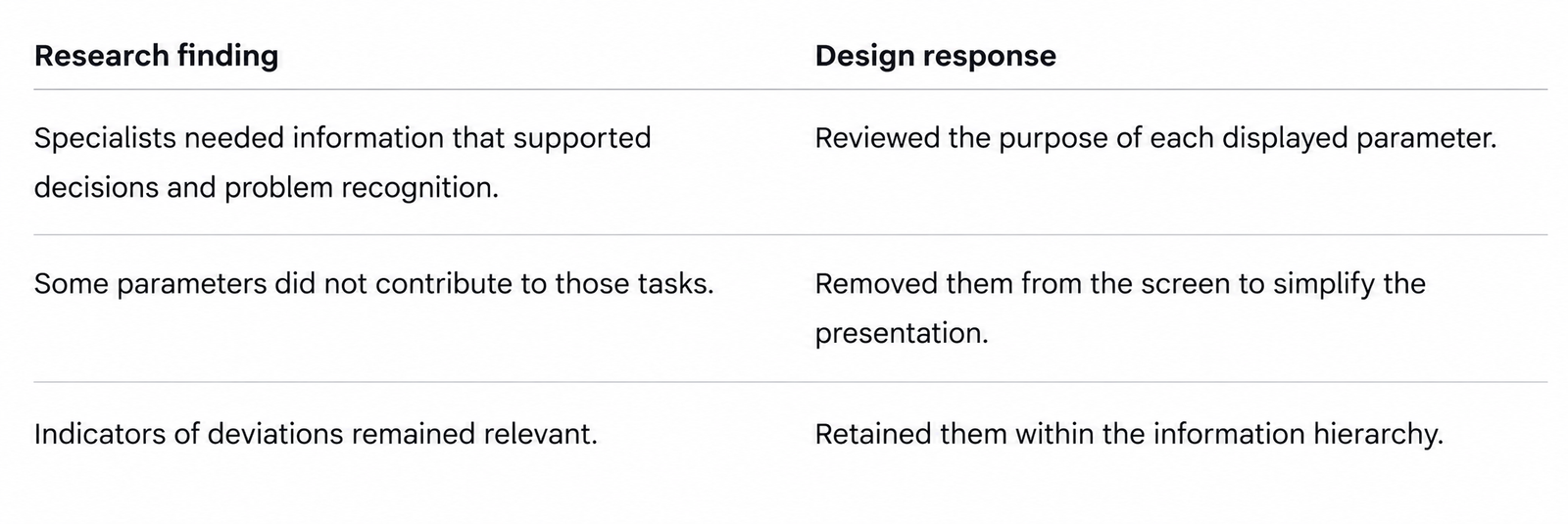
Reviewing the purpose of individual parameters.
Simplifying the screen around decision-making and problem recognition.
Learning Through Step-by-Step Prototype Walkthroughs
I walked physicians through the proposed process using mockups and prototypes. We discussed each stage in context: what they needed to do, what information they relied on, and what could require their attention.
This approach helped uncover requirements that would be difficult to capture through a feature list alone. It also brought activities outside the interface into the discussion, allowing the design to reflect the wider workflow.
Topics explored
The information required before taking an action.
Priorities at different stages of preparation.
Risks and situations that needed to be recognised.
The relationship between screen interactions and clinical activities.
The walkthroughs informed a review of the information displayed on the screen. I assessed parameters according to their contribution to the task: whether they supported a decision, helped identify a problem, or provided context needed at that moment. Parameters that did not support decision-making or error detection were removed from the screen. Indicators that helped recognise deviations from the expected state were retained.
I reviewed interface elements according to their contribution to the task. This helped assess what should be prominent, what provided supporting context, and what could be simplified.
The design criteria focused on:
Relevance: Information should support the current task.
Hierarchy: Important information should be easy to locate.
Clarity: Labels and feedback should be understandable.
Consistency: Similar interactions should follow familiar patterns.
A More Focused Interface, Informed by Specialist Input
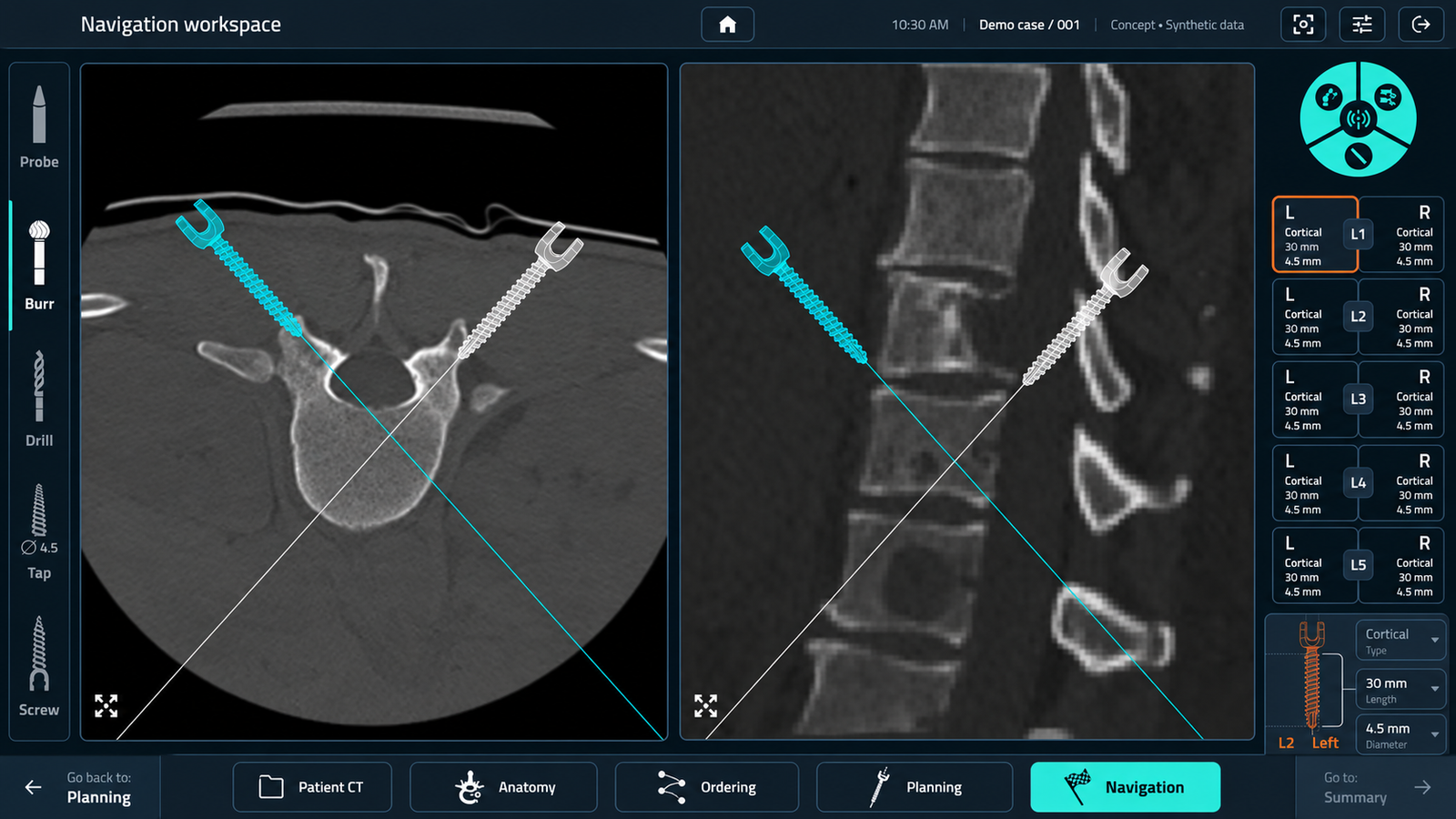
The design work produced a simplified screen focused on information relevant to decision-making and recognising problems.
Prototype walkthroughs provided a practical way to discuss requirements with physicians and translate their knowledge into interface decisions.
What I learned
Understanding a specialised workflow requires looking beyond the screen. Activities, dependencies, and risks shape what users need from the interface.
Working through concrete examples with specialists helped me assess the purpose of individual elements and make more informed decisions about what to retain, remove, and prioritise.